The gym progress tracker
Beat
last time.
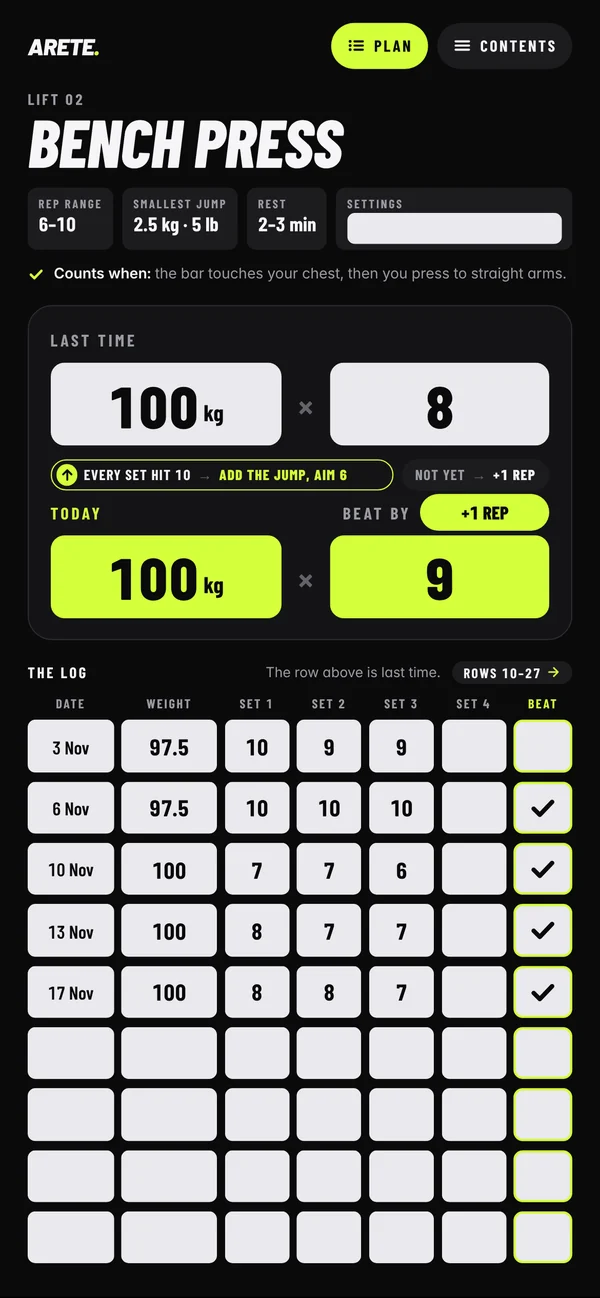
Most people lift the same weights for months, because nobody remembers what they did last week. Arete does the remembering, and spells out exactly what to beat today.
Get Arete · $10- Instant download
- The PDF and the logger, both included
- One payment, no subscription
Sound familiar?
- “Same bench for a year.”
- “I don’t remember what I lifted last week.”
- “I just go by feel.”
- “When am I meant to go up in weight?”
Strength is built one way: doing a little more than last time. It’s called progressive overload, and it only works if you know what last time was.
The whole system
One rule.
The rule
Same weight , then One more rep
Top of the range , then Add weight
Hit the top of your rep range on every set? Add the smallest jump. Not yet? Same weight, one more rep. Every lift page works it out for you, with that lift’s own numbers.
In the gym
How it works
-
01
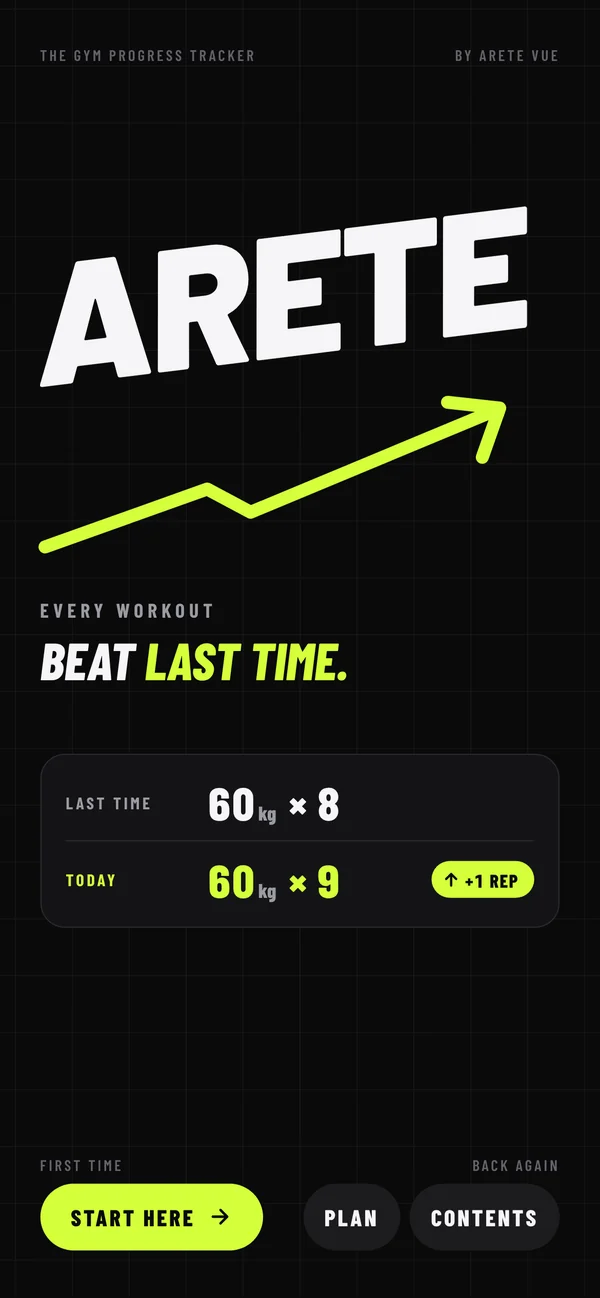
Tap PLAN
Today’s lifts, lined up in order with sets and reps. Pick a 2, 3 or 4-day week, or build your own.
-
02
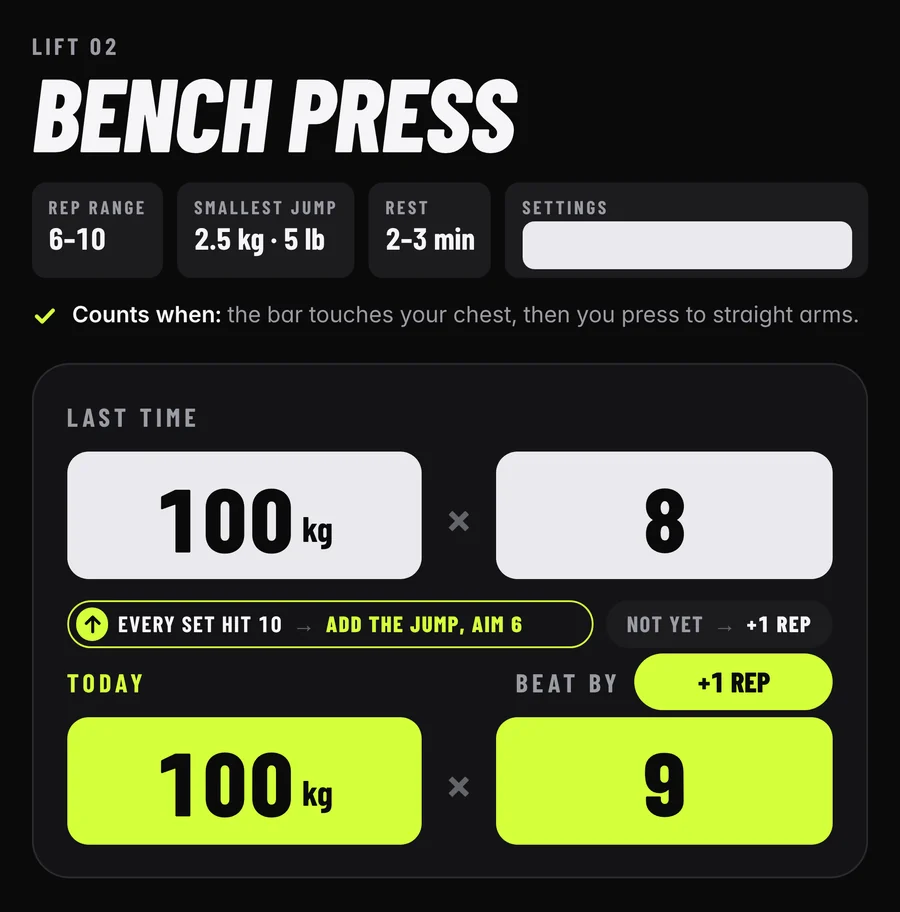
Tap a lift
Last time is right there. Today’s target is spelled out: +1 REP or +2.5 KG.
-
03
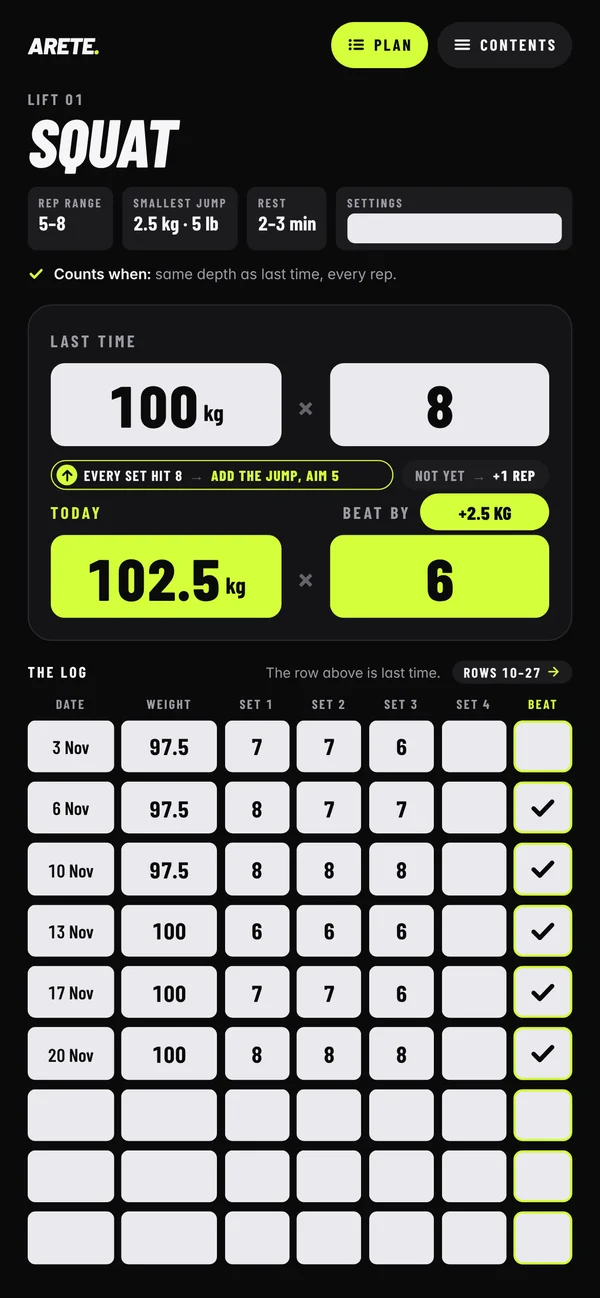
Lift. Log. Beat.
Fill in your sets and tick BEAT when you did more than last time. Next workout, that’s the number to beat.
What you get
Everything for $10
Two ways to track, both included: fill in the PDF, tap through the logger, or use both. Same rule, same lifts, same plans.
The Arete PDF Fillable · 49 pages · phone or print
- 12 lifts set up for you, plus 4 blank pages for your own. Each has the Last time vs Today card and room for 27 workouts
- Your plan: 2, 3 and 4-day weeks with every lift in order, one tap to each
- Warm-up and plate tables, so there’s no maths at the bar, and three form cues for every lift
- Personal records, an estimated-max table, a 12-week progress page and a “Stuck?” checklist
- Kilograms or pounds
The Arete logger In your phone’s browser
For when you’d rather tap than type. It opens on today’s workout with last time already filled in and today’s target worked out. One tap logs a set and starts your rest timer, and your records keep themselves.
- Works with no signal
- Add it to your home screen. Nothing to download from an app store
- Your log stays on your phone, not on a server
- Unlock it with the key from your Whop order
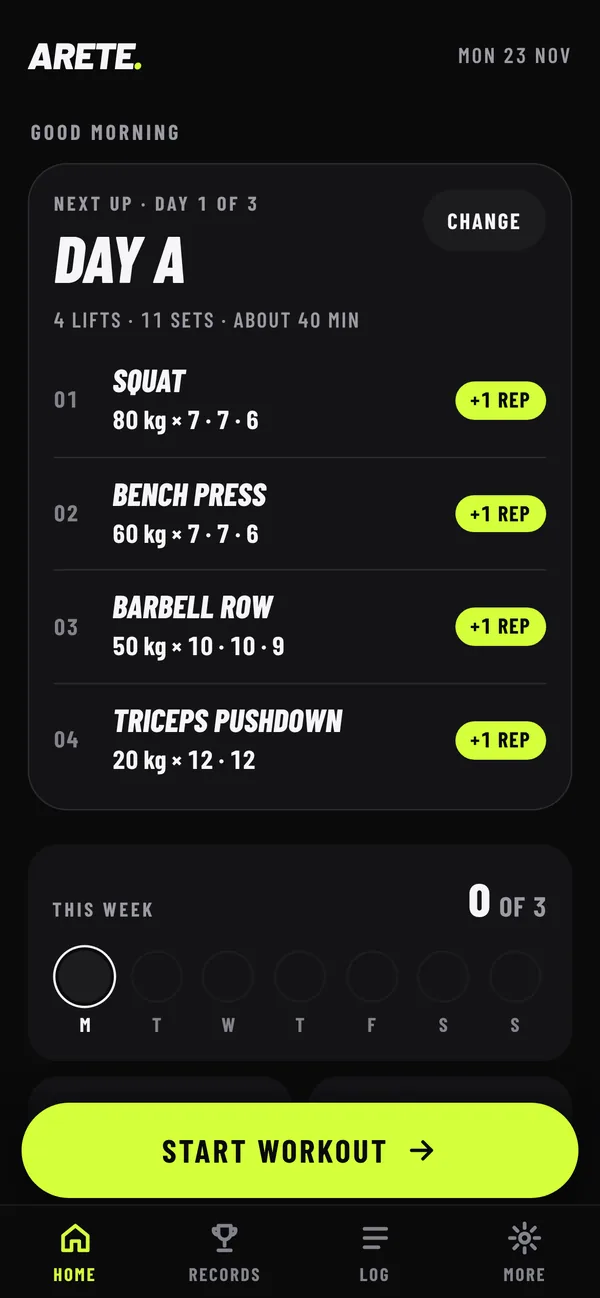
Opens on today’s workout
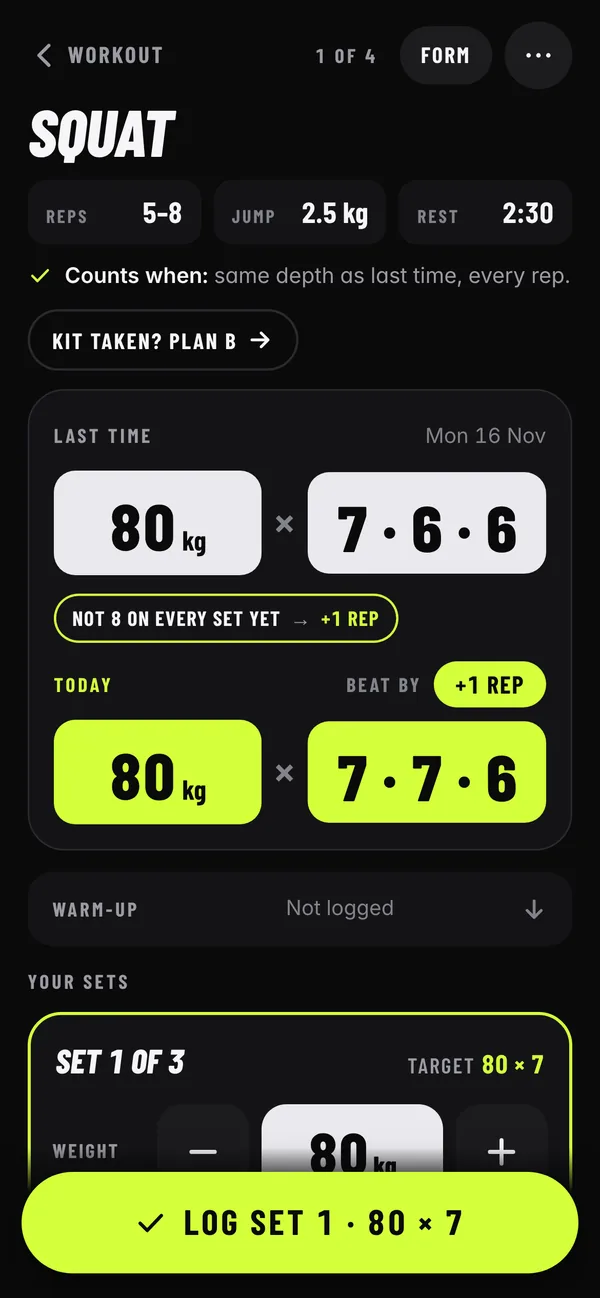
Last time vs today
Bonuses
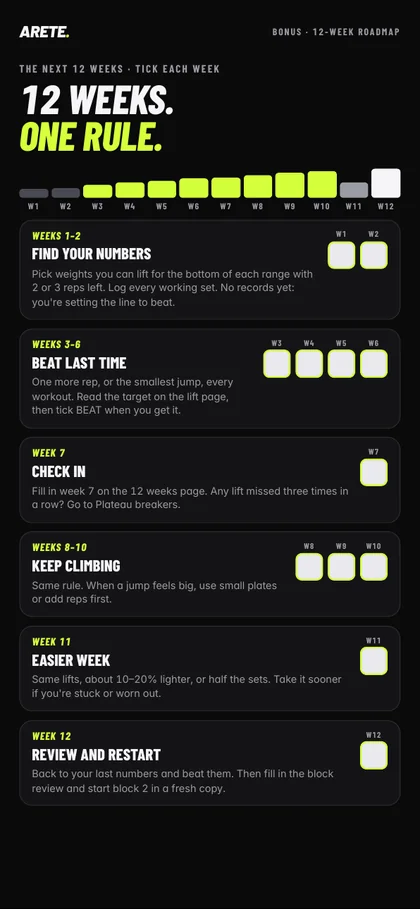
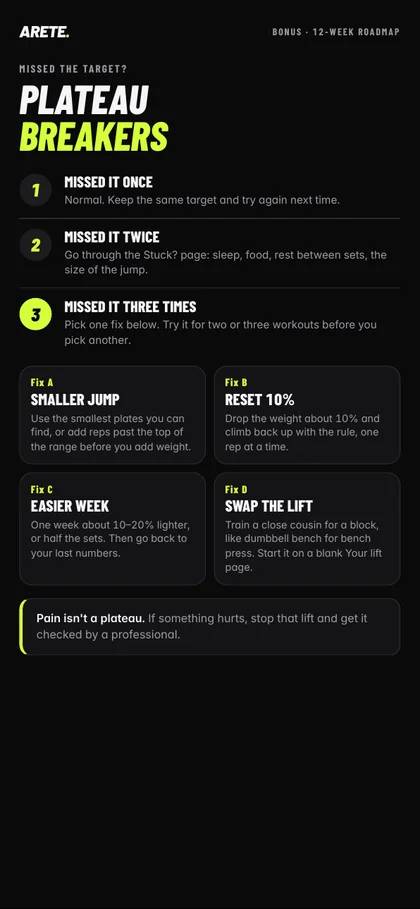
- 12-week roadmap: what to do each week, plateau breakers, an easier week and a block review
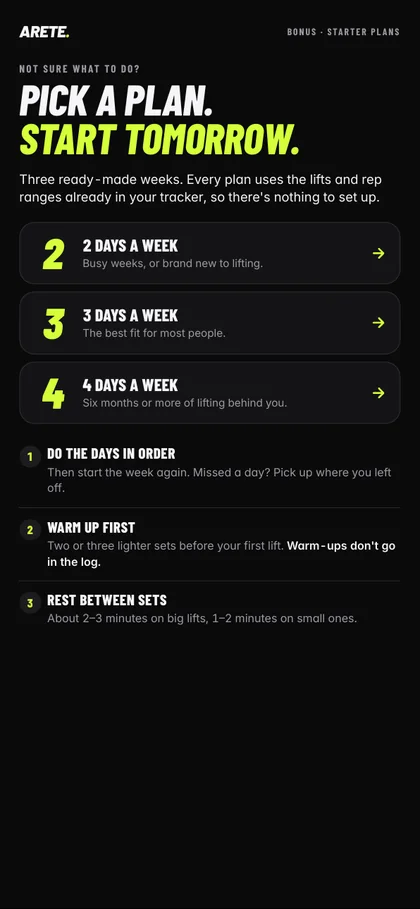
- Starter plans with your first two weeks
- Busy-gym swap guide: a plan B for every lift when the kit is taken
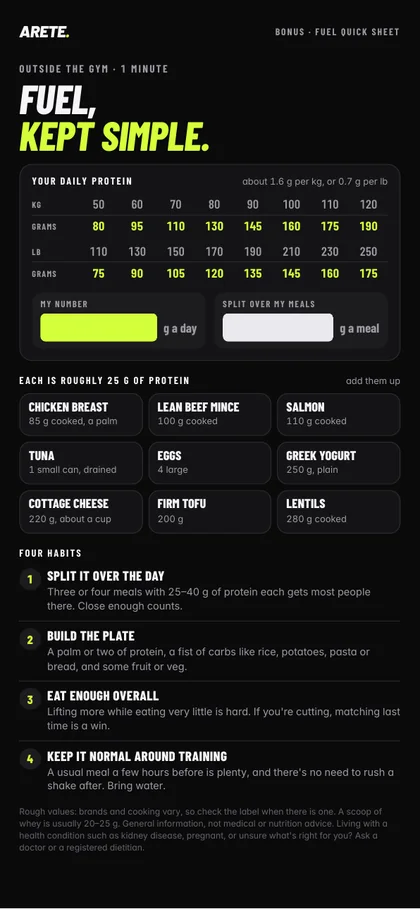
- Fuel quick sheet: your daily protein number, and what 25 g looks like
- Print edition, A4 and US Letter, for a pen and a clipboard
- Smallest-jump cheat sheet and plate maths
- 3 phone wallpapers
Questions
PDF or logger: which should I use?
Whichever suits you. The PDF is a file you fill in on your phone or print and fill in with a pen. The logger does the sums for you and starts your rest timer. Both use the same rule, lifts and plans, and you get both.
Is it an app?
No. Arete is a PDF you fill in on your phone, or print and fill in with a pen. The logger opens in your phone’s browser, so there’s nothing to download from an app store.
I’m new to lifting. Is it for me?
Yes. The starter plans tell you what to do, and the set-up page shows you how to pick your first weights.
How do I get it?
Straight after you pay, Whop takes you to your download and your key for the logger. Everything stays in your Whop account, so you can come back any time. Save the PDF to your phone, open it and tap START HERE.
What do I open it with?
Your phone’s Files app, or Adobe Acrobat Reader, which is free on iPhone and Android.
Kilograms or pounds?
Either. You choose on the set-up page.
Is it a subscription?
No. You pay $10 once and download the files.
Can I get a refund?
No. The files download straight away, so all sales are final. If something doesn’t work, message us in Whop’s chat and we’ll help.